Hello everyone
We are happy to announce several new features that will be available on the server from this day forward, namely:
Automated main base protection
Players who attack a main base with air vehicles, such as a helicopter or plane, without it being that team's last flag and end up killing someone in the process will now be killed automatically as punishment. If a player enters a plane or helicopter they will also be protected up to a certain height, I feel the height I chose is appropriate but if it turns out it's too high or low it can still be adjusted later. Kills that are made by means of ramming the player or vehicle vehicles being destroyed in the main base, while still forbidden, will not be affected by the auto-kill because this could possibly lead to false positives (auto-kills targeting infantry players) and other issues. The Slick is also exempt from the automatic punishment. Because it is only played on Sundays, vanilla Operation Irving currently isn't protected, though this may change later.
Protected areas on each map
Below you can see all the no attack areas as defined by our current rules which you can find at https://forum.helloclan.eu/resources/32/ I tried to keep all the protected zones closely in line with these. Please keep in mind that this also includes the PBR area on Hastings and the roads outside the NVA main on Khe Sahn. Open the spoiler to view the areas.
Below you can see a short demonstration of the main rape auto kill feature:
View: https://www.youtube.com/watch?v=xVtKCEwu7ko
New vote options
There has frequently been been a demand for having the option to run time limits on certain maps, run a popular map again or simply skip ahead to the next map, while the latter is technically already a possibility by utilising the built-in map vote feature, we only have map vote enabled on certain days of the week. Votes run for about 2 minutes each, with a mid-vote grey chat text reminder stating the then-current amount of votes garnered. A simple majority is enough for the vote to pass immediately. Below you'll see instructions on how to use each of them and the rules and limits that govern the new vote options. Each vote type (next map, restart and time limit) is only available once per map and only becomes so 2 minutes into the round in order to to prevent vote spamming. Once the 2 minute cooldown is over, you will see a grey text announcement showing the available votes.
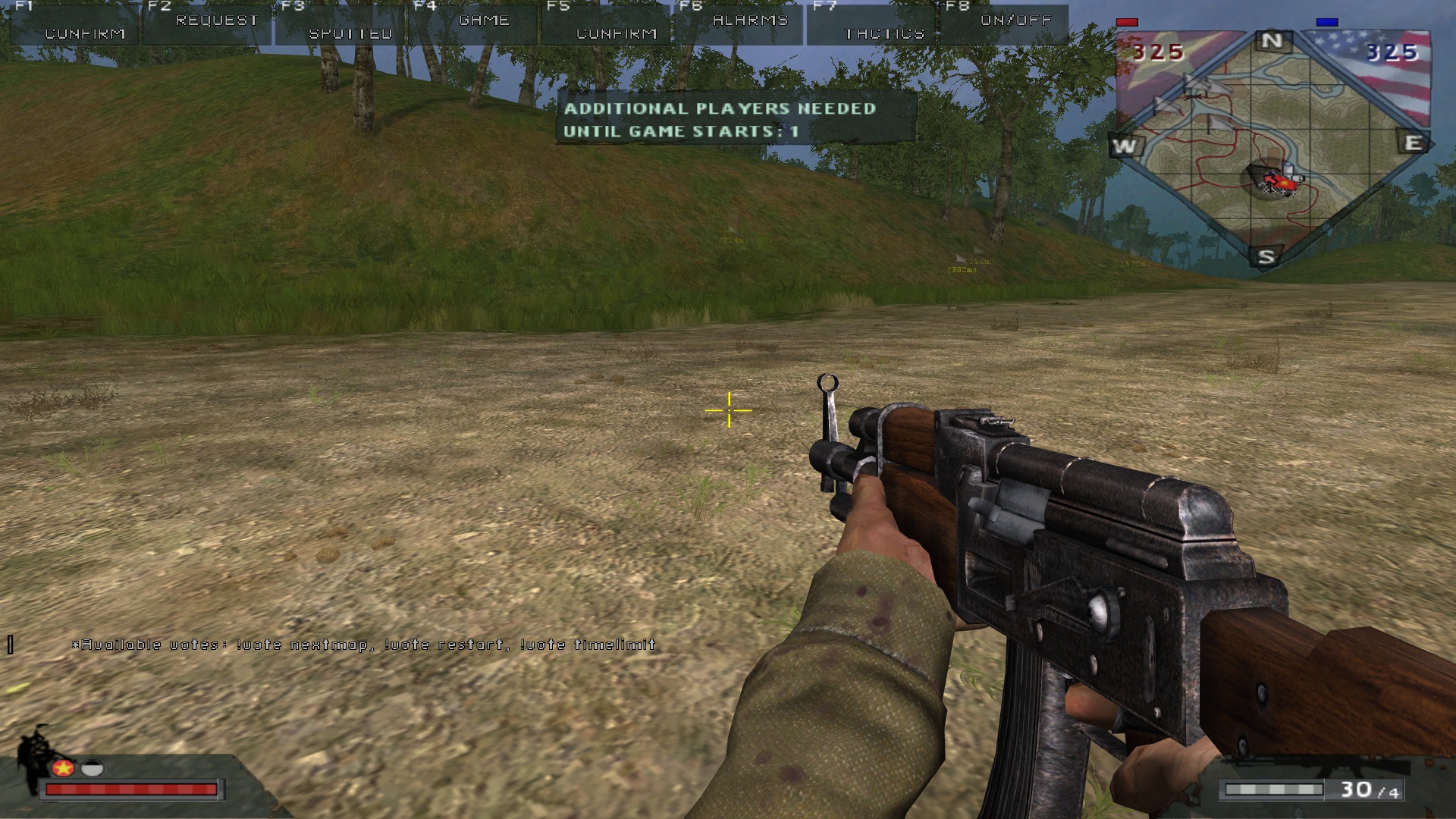
Each of the following vote types can be issued by typing these commands into the chat, the player that issued a vote will have their vote automatically be counted as a yes vote, other players can vote by typing !yes into the chat, you don't have to type anything to vote no, this can be accomplished by simply abstaining from the vote.
!vote nextmap
If you want to start a vote with the stated goal of skipping ahead to the next map, you can type this command into the chat, which is pretty self explanatory so far. If enough players vote in the chat the server will change its map to the next in line.
!vote restart
This vote works the same way as the nextmap vote, simply type it into the chat if you wish to start a restart map vote.
!vote timelimit (custom time limit in minutes)
This vote type is a little more complex than the other two, in so far that you can pick an any amount of time to your liking (in minutes) as a desired time limit and have people vote for it. For example, if you type !vote timelimit 50 into the chat this will then trigger a time limit vote for a total time of 50 minutes, which will then be applied be at the time of the vote passing. The maximum round length that can be voted for is 5 hours or 300 minutes. This vote only works on maps which don't have a pre-configured time limit.
!vote timelimit off
This is a vote option reserved for maps that have a custom time limit pre-applied to them. You can find a list of all maps running such a time limit below, and the maps running these time limits may be subject to changes based on feedback and other factors. This is very straightforward, simply type the vote command into the chat.
Map-based time limits
Due to the limitations of the server manager we are using, we had hitherto been unable to enact custom time limits for individual maps, the choice was to either have a time limit that applies to all maps or to have none at all. We now have the ability to apply time limits to individual maps to our own liking and remove them again just as easily. It has been an oft-requested requests to have time limits for certain maps, particularly the ones which can drag on very long with fewer people such as Operation Flaming Dart, Quang Tri and Reclaiming Hue. This is now made possible.
Maps currently running any custom time limit
Operation Flaming Dart - 50 minutes
Reclaiming Hue - 50 minutes
So far the newly added features, below you will see what else is planned for the very near future.
Coming soon
Firstly, it's important to make clear that there are no plans of adding bots during normal active playing hours but only have them run on the server very late at night when there's usually low to no activity.
Disable bots vote
Another vote option to disable bots (at the times they're enabled on the server) for the remainder of the given round will be added soon, the technical details are already worked out in theory and practical testing is soon to follow. Unlike the other changes, this one requires a modification to our server binary to have the required commands work.
Disable bots upon reaching a certain number of players
Additionally, an option to automatically disable bots once a number of players has been reached may be added later, ideally at around 8 players the bots would be disabled and then later enabled again once it drops below the same number. We are still not planning on running any bots at busy times, but when they're enabled the automatic turning them on and off in conjunction with being able to disable them regardless of player count by means of voting promises a great deal of flexibility.
This topic will remain open for feedback, suggestions and please feel free to use it for discussions of the time limits and which maps would benefit from having them, though for the time limits specifically a separate thread will be created at a later point in time.
We are happy to announce several new features that will be available on the server from this day forward, namely:
Automated main base protection
Players who attack a main base with air vehicles, such as a helicopter or plane, without it being that team's last flag and end up killing someone in the process will now be killed automatically as punishment. If a player enters a plane or helicopter they will also be protected up to a certain height, I feel the height I chose is appropriate but if it turns out it's too high or low it can still be adjusted later. Kills that are made by means of ramming the player or vehicle vehicles being destroyed in the main base, while still forbidden, will not be affected by the auto-kill because this could possibly lead to false positives (auto-kills targeting infantry players) and other issues. The Slick is also exempt from the automatic punishment. Because it is only played on Sundays, vanilla Operation Irving currently isn't protected, though this may change later.
Protected areas on each map
Below you can see all the no attack areas as defined by our current rules which you can find at https://forum.helloclan.eu/resources/32/ I tried to keep all the protected zones closely in line with these. Please keep in mind that this also includes the PBR area on Hastings and the roads outside the NVA main on Khe Sahn. Open the spoiler to view the areas.
Fall of Lang Vei




Saigon 1968


Con Thien


Operation Hastings


Game Warden


Siege of Khe Sahn


Operation Cedar Falls


Fall of Saigon

Saigon 1968
Con Thien
Operation Hastings
Game Warden
Siege of Khe Sahn
Operation Cedar Falls
Fall of Saigon
Below you can see a short demonstration of the main rape auto kill feature:
View: https://www.youtube.com/watch?v=xVtKCEwu7ko
New vote options
There has frequently been been a demand for having the option to run time limits on certain maps, run a popular map again or simply skip ahead to the next map, while the latter is technically already a possibility by utilising the built-in map vote feature, we only have map vote enabled on certain days of the week. Votes run for about 2 minutes each, with a mid-vote grey chat text reminder stating the then-current amount of votes garnered. A simple majority is enough for the vote to pass immediately. Below you'll see instructions on how to use each of them and the rules and limits that govern the new vote options. Each vote type (next map, restart and time limit) is only available once per map and only becomes so 2 minutes into the round in order to to prevent vote spamming. Once the 2 minute cooldown is over, you will see a grey text announcement showing the available votes.
Each of the following vote types can be issued by typing these commands into the chat, the player that issued a vote will have their vote automatically be counted as a yes vote, other players can vote by typing !yes into the chat, you don't have to type anything to vote no, this can be accomplished by simply abstaining from the vote.
!vote nextmap
If you want to start a vote with the stated goal of skipping ahead to the next map, you can type this command into the chat, which is pretty self explanatory so far. If enough players vote in the chat the server will change its map to the next in line.
!vote restart
This vote works the same way as the nextmap vote, simply type it into the chat if you wish to start a restart map vote.
!vote timelimit (custom time limit in minutes)
This vote type is a little more complex than the other two, in so far that you can pick an any amount of time to your liking (in minutes) as a desired time limit and have people vote for it. For example, if you type !vote timelimit 50 into the chat this will then trigger a time limit vote for a total time of 50 minutes, which will then be applied be at the time of the vote passing. The maximum round length that can be voted for is 5 hours or 300 minutes. This vote only works on maps which don't have a pre-configured time limit.
!vote timelimit off
This is a vote option reserved for maps that have a custom time limit pre-applied to them. You can find a list of all maps running such a time limit below, and the maps running these time limits may be subject to changes based on feedback and other factors. This is very straightforward, simply type the vote command into the chat.
Map-based time limits
Due to the limitations of the server manager we are using, we had hitherto been unable to enact custom time limits for individual maps, the choice was to either have a time limit that applies to all maps or to have none at all. We now have the ability to apply time limits to individual maps to our own liking and remove them again just as easily. It has been an oft-requested requests to have time limits for certain maps, particularly the ones which can drag on very long with fewer people such as Operation Flaming Dart, Quang Tri and Reclaiming Hue. This is now made possible.
Maps currently running any custom time limit
Operation Flaming Dart - 50 minutes
Reclaiming Hue - 50 minutes
So far the newly added features, below you will see what else is planned for the very near future.
Coming soon
Firstly, it's important to make clear that there are no plans of adding bots during normal active playing hours but only have them run on the server very late at night when there's usually low to no activity.
Disable bots vote
Another vote option to disable bots (at the times they're enabled on the server) for the remainder of the given round will be added soon, the technical details are already worked out in theory and practical testing is soon to follow. Unlike the other changes, this one requires a modification to our server binary to have the required commands work.
Disable bots upon reaching a certain number of players
Additionally, an option to automatically disable bots once a number of players has been reached may be added later, ideally at around 8 players the bots would be disabled and then later enabled again once it drops below the same number. We are still not planning on running any bots at busy times, but when they're enabled the automatic turning them on and off in conjunction with being able to disable them regardless of player count by means of voting promises a great deal of flexibility.
This topic will remain open for feedback, suggestions and please feel free to use it for discussions of the time limits and which maps would benefit from having them, though for the time limits specifically a separate thread will be created at a later point in time.
Last edited: